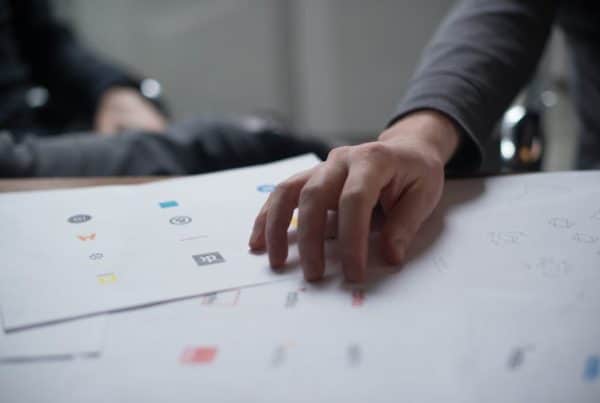


Web design ideas usually start with a mix of research, inspiration, and problem-solving. Every website has different goals, a unique audience, and a varying personality, so the creative direction is different as well. Sometimes inspiration comes from a strong layout idea. Other times, you get it from color palettes or user experience goals.
Most designers draw inspiration from resources such as Dribbble, Behance, and Awwwards, which make it easier to study responsive design trends, creative layouts, and modern website styles. Client briefs and goals dictate the direction, and you can use mood boards and wireframes to fuse the ideas together.
Let’s break down how web designers like me come up with ideas for new projects. Here’s how we turn concepts into successful websites.
Understanding the Client Brief and Project Goals
Most website ideas take shape during the discovery phase. Before designers start building wireframes or choosing a color palette, they spend time understanding the business, the audience, and the website’s purpose.
For example, a law firm website needs a completely different tone and layout than an online clothing store or a local restaurant.
Why the Client Brief Matters
Designers use client briefs to understand the business, the audience, and the website’s purpose before moving into layouts or visual concepts. The brief helps shape the overall project direction.
Defining the Website’s Goals
Every website serves a different purpose. Some websites focus on generating leads, while others sell products, book appointments, or build brand awareness.
Such goals influence the site’s structure, navigation, calls to action, and overall user experience (UX). Here’s why user experience matters in web design.
Researching the Target Audience
Crafty web designers will task their clients to conduct extensive audience research. Your audience differs from that of another brand with the same products, targeting a more elite audience.
The same goes for a younger audience, which may respond well to bold visuals and interactive layouts, while a professional audience expects a cleaner, more structured design.
These details affect typography, layout choices, color palettes, and responsive design decisions.
Reviewing Competitor Websites
Web designers will also look at what your competitors are doing when you hire them. Competitor research gives designers a clearer picture of what works and what doesn’t in your space.
You don’t want to copy your competitors, but it’s smart to learn from them and set yourself apart as the better option.
Where Web Designers Find Inspiration
I usually like to believe I’m a little different from other web designers, but most great designers are inspired by others in some way. We like to explore platforms, such as Dribbble, Behance, and Awwwards, to study:
- Modern layouts.
- Typography styles.
- Animations.
- Responsive design trends.
These platforms showcase real projects across different industries, making them useful for gathering creative web design ideas and spotting new design patterns.
Exploring Designs Outside the Web Industry
I can’t tell you how many times my creative process sparked from reading a magazine or checking out some product packaging that totally blew me away.
Awesome architecture, captivating photography, and social media campaigns also inspire web designers. That’s because visual trends often overlap across industries.
Building Mood Boards
Once inspiration starts coming together, many designers organize visual references into mood boards. A design mood board helps establish the website’s overall tone before the wireframing stage begins.
Think fonts, colors, interface styles, and photography ideas.
Saving and Organizing References
Designers constantly collect screenshots, UI examples, and website references during the creative process.
Keeping organized inspiration folders makes it easier to:
- Compare ideas.
- Refine layouts.
- Develop a consistent visual direction.
Turning Inspiration Into a Website Design
1. Starting With Wireframes
After the research and inspiration phase, designers usually move into wireframing. Wireframes serve as simple visual blueprints that outline the structure of a website before detailed design work begins.
You don’t want colors and graphics to distract you too early, so this stage helps organize navigation, content placement, calls to action, and page hierarchy.
2. Planning the Layout
Layout decisions shape the way visitors interact with a website. Designers strive to create pages that feel organized and easy to navigate, so they focus on:
- Spacing.
- Content flow.
- Visual hierarchy.
- Readability.
A strong layout also supports responsive design by helping content adapt smoothly across desktops, tablets, and mobile devices.
3. Choosing Typography and Color Palettes
Typography and color palettes help define a website’s personality. Some brands need a clean and professional appearance, while others benefit from bold visuals and energetic colors.
Designers test different combinations to create a style that aligns with the client’s branding and enhances the overall user experience (UX).
4. Refining the User Experience
Designers also focus on usability, loading speed, accessibility, and mobile-first performance throughout the design process.
Small adjustments to navigation, button placement, or content structure can make a major difference in how users interact with the website.
Tools and Resources That Help Generate Ideas
1. Design Software and Prototyping Tools
Most designers use tools like Figma, Adobe XD, and Adobe Photoshop to experiment with layouts, wireframes, and visual concepts.
These tools make it easier to test ideas, adjust spacing, refine typography, and collaborate during the web designer design process.
2. Color Palette and Typography Resources
Choosing the right typography and color palette often requires experimentation. Many designers use online tools to compare font pairings, test color combinations, and build visual consistency across a website.
These resources help speed up the creative process while keeping the design polished and balanced.
3. Inspiration Libraries and Screenshot Collections
Designers constantly save examples of layouts, menus, landing pages, and user interface elements that stand out. Organized inspiration libraries make it easier to revisit ideas later and apply them to future projects.
Over time, these collections become valuable resources for generating creative web design ideas quickly.
4. AI and Modern Design Assistance
AI tools have also started influencing web design inspiration and early concept development. Some designers use AI to brainstorm layouts, generate content ideas, or test visual directions before refining the final design manually.
These tools work best as part of the creative process rather than replacements for strategy, research, and user experience planning.
Common Habits of Creative Web Designers
In this section, I’ll focus more on what drives my creativity and problem-solving. As you may know, staying creative for 18 years of web design is not an easy achievement.
1. Staying Active and Living Well
Creativity tends to work better with a clear head and good energy. Spending time on healthy routines like exercise, proper rest, and simple daily balance helps keep ideas sharp and focused.
If you didn’t know, short breaks away from the screen often lead to better design thinking than pushing through long hours.
2. Finding Ideas Outdoors
Some of the best creative web design ideas show up away from the desk. Time outdoors, whether it’s hiking, kayaking, or just being in nature, creates space to think differently, so I usually go:
- Hiking.
- Kayaking.
- To be in nature.
If you’re not an outdoors person, maybe you watch games and movies or play musical instruments like the bass guitar or piano.
As for me, my mind picks up the patterns, spacing, color contrast, and simplicity in natural spaces. The next time you’re hiring a web designer, do some snooping and find out if they have any fun hobbies.
3. Drawing From Dad Life
Every day, family life brings a different kind of creativity. I for sure enjoy practical thinking from:
- Problem-solving at home.
- Spending time with kids.
- Observing how my kids interact with the world.
These simple pleasures keep priorities grounded and challenges in perspective. Parenting can be a great source of inspiration for design thinking, as it requires adaptability and creativity.
4. Revisiting and Refining Older Ideas
Designers rarely stop at the first concept. Revisiting earlier wireframes, reorganizing mood boards, and refining layouts helps improve the final result.
Small changes to spacing, typography, or content structure can completely change how a website feels and performs. This trick is especially useful for website revamp planning.
Mistakes That Hurt Website Creativity
1. Copying Instead of Understanding
Look at competitor websites for direction, but be original; don’t copy or steal styles. You want to understand why something works, so you can then rebuild it in a way that fits the brand and audience.
2. Ignoring User Experience
A website can look great and still fail if it’s hard to use, has confusing navigation, unclear calls to action, or poor content structure.
Experienced designers start with the user experience before figuring out the visual style.
3. Overloading the Design
You don’t want to overwhelm your audience with too many design elements or options. Simplify and streamline it, focusing on the most important elements and information.
Too many animations, colors, fonts, or visual effects can make a website feel busy and distracting.
4. Designing Without a Clear Purpose
You wind up with slow sites and confusing layouts when you design without a clear direction, so every design choice should connect back to a goal.
Great websites start from intention and move to UX design before visuals and content production factor into the design.
5. Failing to Make A Responsive Design
Without responsive web design, a website risks losing potential viewers and customers. As more people access the internet on mobile devices, it’s important that websites can adapt and display properly across different screen sizes.
Responsive design ensures that a website is user-friendly and accessible across devices.
Bringing It All Together
1. Connecting Research, Inspiration, and Structure
Web design ideas take shape when research, inspiration, and structure come together. Remember, the client already set the direction with a brief and set goals, so your research and inspirations have direction.
You can then connect the research and direction into something usable with wireframes and mood boards.
2. Turning Concepts Into Real Designs
The next step involves execution by choosing:
- Layouts.
- Typography.
- Color Pallets.
You also have to decide how the website and individual pages will look across devices, from smartphones and tablets to laptops and digital TVs.
Every decision supports both appearance and user experience.
3. Designing With Real People in Mind
Strong websites are built for real users, so you need to prioritize:
- Clarity.
- Ease of use.
- How someone actually moves through a page.
- How they interact with key elements.
Ready to Build Your Next Website?
Now that you have a better understanding of the key elements and concepts involved in web design, it’s time to put your knowledge into action.
Remember to always keep the end user in mind and focus on creating a clear, intuitive, and easy-to-navigate website. You also want to stay up to date with current design trends and technologies.
Most importantly, don’t be afraid to experiment and try new things. This space keeps evolving, so be open to learning and adapting as the industry moves.